
PACMOD MIDI DJ Controller
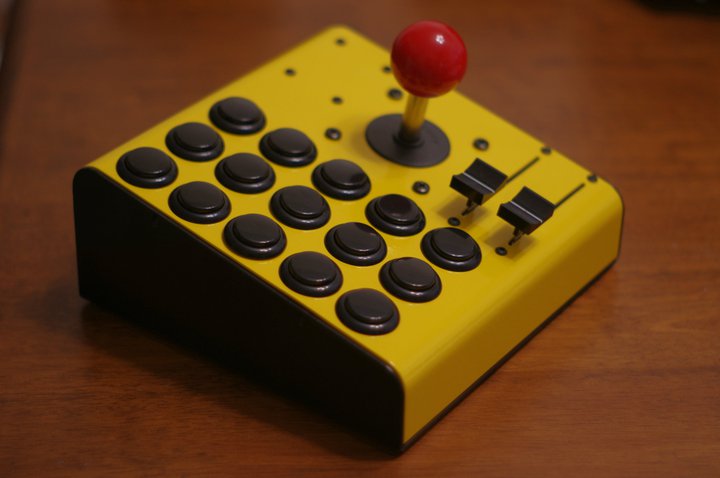
For my son’s birthday I made him a DJ controller designed to resemble an old cabinet arcade machine. What follows is a brief overview of the process to make it, including code.
The Teensy was chosen as the brains because of the way it handles USB. Not only does it have native USB, rather than the FTDI USB-to-serial interface that turns making use of the port a series of work-arounds, but as you’ll see in the code the MIDI library makes writing the firmware a trivial pursuit.
Caveat: I found out later that my scaling of the sliders is off & doesn’t allow for full travel in Traktor. Since the controller is away at college with my son I haven’t had access to fix this. I’m certain that it’s just a matter of changing the scale factor, though.
UPDATE: A typo in the code was identified in the comments here that was causing the limited travel. The code posted below has been updated to reflect this.
The parts list:
Teensy 2.0 CPU from PJRC
7-inch sloped enclosure from iProjectBox
Sanwa Arcade Buttons from DJTechTools
Joystick from SparkFun
Slide potentiometers from SparkFun
Pot knobs from SparkFun
Panel adapter cable from AngledCables Update: When I made this in 2010 AngledCables was about the only source for this adapter cable. Looking online at the end of 2012 I’ve decided to purchase some from AdaFruit at a much better price.
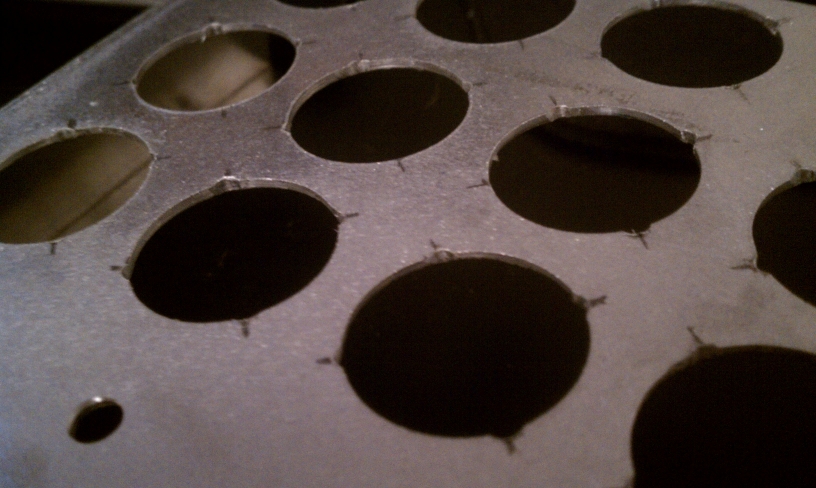
Once all the parts were in hand the placement of the buttons was measured and marked out in pencil. Once the holes were cut I used a Dremel to put in the 4 indentions that index the buttons and keep them from rotating.

Drilling the mounting holes for the joystick was pretty straight-forward. The slots for the pots were marked out and small holes drilled at each end. A small cut-off wheel on the Dremel connects the dots.

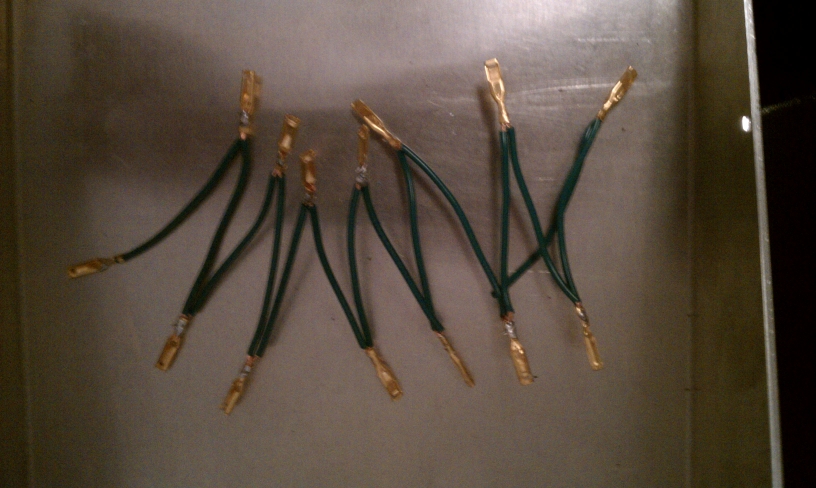
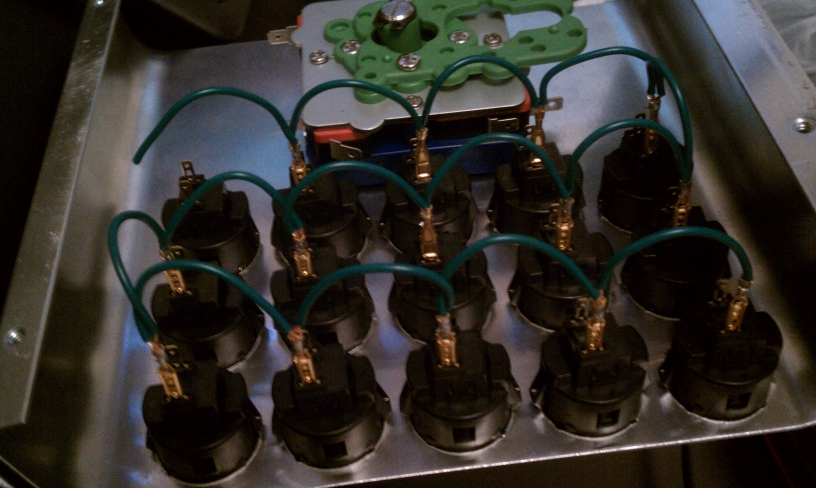
Wiring used quick-disconnects that were both crimped & soldered
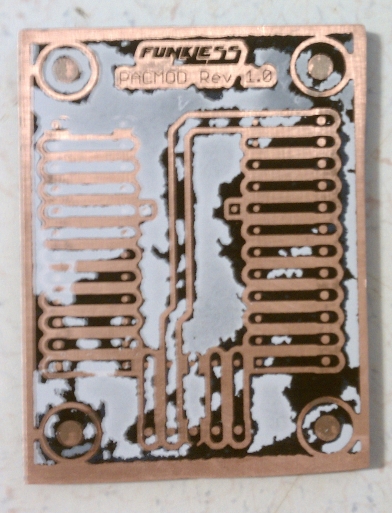
I etched a custom PCB as a breakout for the Teensy that used tall female headers as a socket for the microcontroller

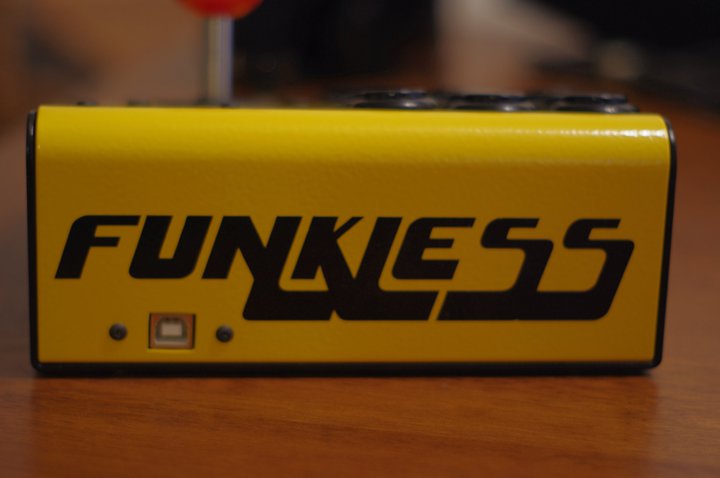
After programming, I had the enclosure powder coated at a local shop and mounted everything. The final step was to apply a vinyl decal made by friends at Innovative Tint & Graphics.

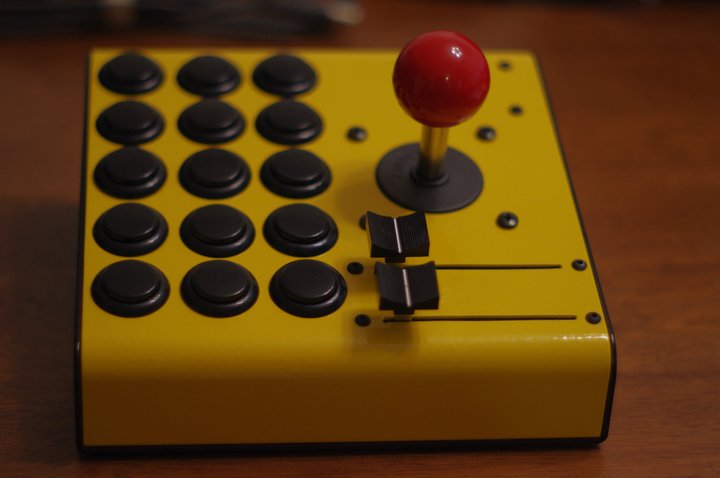

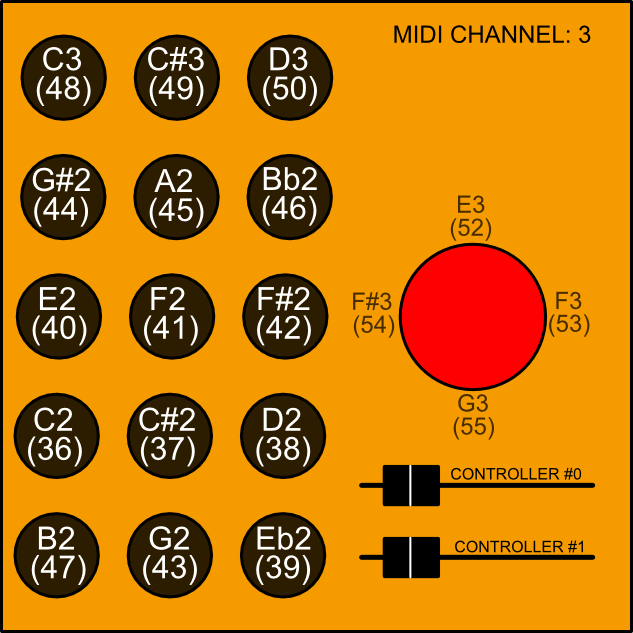
The mapping tried to make use of as much of one for an existing controller as possible, just switched to a different channel.
You’ll want to go over to the Arduino playground and pick up the debounce library Bounce.h to include. It’s a very handy way to easily debounce mass inputs as demonstrated below.
I think the comments and naming make everything pretty clear as to what’s going on. I’ve even left in some junk that was really only part of the development and debugging. The line Serial.begin(38400) is one of these things. It doesn’t need to be there for the code to function. It was just used for the Arduino debugging statements that are now commented out.
If you’re not familiar with Teensy, there’s a good primer on the PJRC site. The most important thing if you’re going to be using the Arduino environment is the Teensy Loader.
|
1 2 3 4 5 6 7 8 9 10 11 12 13 14 15 16 17 18 19 20 21 22 23 24 25 26 27 28 29 30 31 32 33 34 35 36 37 38 39 40 41 42 43 44 45 46 47 48 49 50 51 52 53 54 55 56 57 58 59 60 61 62 63 64 65 66 67 68 69 70 71 72 73 74 75 76 77 78 79 80 81 82 83 84 85 86 87 88 89 90 91 92 93 94 95 96 97 98 99 100 101 102 103 104 105 106 107 108 109 110 111 112 113 114 115 116 117 118 119 |
#include /* PacMod DJ Controller 002b */ // pin definitions const int digital_pin[] = { 0, 1, 2, 3, 4, 5, 6, 7, 8, 9, 10, 11, 12, 13, 14, 15, 16, 17, 18 }; const int analog_pin[] = { A0, A1 }; // variables for the states of the controls boolean digital_stored_state[19]; int analog_stored_state[2]; // amount of change that constitutes sending a midi message const int analog_threshold = 2; const int analog_scale = 8; // Debounce long debounceDelay = 20; Bounce digital_debouncer[] = { Bounce(digital_pin[0], debounceDelay), Bounce(digital_pin[1], debounceDelay), Bounce(digital_pin[2], debounceDelay), Bounce(digital_pin[3], debounceDelay), Bounce(digital_pin[4], debounceDelay), Bounce(digital_pin[5], debounceDelay), Bounce(digital_pin[6], debounceDelay), Bounce(digital_pin[7], debounceDelay), Bounce(digital_pin[8], debounceDelay), Bounce(digital_pin[9], debounceDelay), Bounce(digital_pin[10], debounceDelay), Bounce(digital_pin[11], debounceDelay), Bounce(digital_pin[12], debounceDelay), Bounce(digital_pin[13], debounceDelay), Bounce(digital_pin[14], debounceDelay), Bounce(digital_pin[15], debounceDelay), Bounce(digital_pin[16], debounceDelay), Bounce(digital_pin[17], debounceDelay), Bounce(digital_pin[18], debounceDelay) }; // MIDI settings int midi_ch = 3; int midi_vel = 127; const int digital_note[] = { 48, 49, 50, 44, 45, 46, 40, 41, 42, 36, 37, 38, 47, 43, 39, 52, 53, 54, 55 }; const int analog_control[] = { 0, 1 }; void setup() { Serial.begin(38400); // set the pin modes && zero saved states int b = 0; // digital pins for (b = 18; b >= 0; b--) { pinMode(digital_pin[b], INPUT_PULLUP); digital_stored_state[b] = false; //Serial.print("setup: pin "); //Serial.println(b); } // analog pins for (b = 1; b>= 0; b--) { analog_stored_state[b] = 0; } //Serial.println("----------------"); //Serial.println("MIDI DJ Controller Test - setup"); //Serial.println("----------------"); } void loop() { fcnProcessButtons(); } //Function to process the buttons void fcnProcessButtons() { int b = 0; // digital pins for (b = 18; b >= 0; b--) { digital_debouncer[b].update(); boolean state = digital_debouncer[b].read(); if (state != digital_stored_state[b]) { if (state == false) { usbMIDI.sendNoteOn(digital_note[b], midi_vel, midi_ch); //Serial.print("MIDI note on: "); //Serial.println(digital_note[b]); } else { usbMIDI.sendNoteOff(digital_note[b], midi_vel, midi_ch); //Serial.print("MIDI note off: "); //Serial.println(digital_note[b]); } digital_stored_state[b] = !digital_stored_state[b]; } } // analog pins for (b = 1; b >= 0; b--) { int analog_state = analogRead(analog_pin[b]); //if (analog_state - analog_stored_state[b] >= analog_scale || analog_stored_state[b] - analog_state >= analog_scale) { //if (abs(analog_state - analog_stored_state[b] >= analog_threshold)) { // 200130526: correct the typo & use form pointed out by grivvr in the comments if (abs(analog_state - analog_stored_state[b]) >= analog_threshold) { // 200130622: correct new typo in previous update pointed out by luke birch in the comments int scaled_value = analog_state / analog_scale; usbMIDI.sendControlChange(analog_control[b], scaled_value, midi_ch); /* Serial.print("analog value "); Serial.print(b); Serial.print(": "); Serial.print(analog_state); Serial.print(" scaled: "); Serial.println(scaled_value);*/ analog_stored_state[b] = analog_state; } } } |